
Electric scooters are designed with built-in safety systems to protect the battery, controller, wiring, motor, and rider. When something goes wrong, the scooter displays an error code on the dashboard or mobile app. These error codes are extremely useful because they tell you exactly what part of the scooter needs attention. The problem is that many riders have no idea what these codes mean or how to reset them properly.
The good news? Most error codes can be fixed easily at home. Whether it’s a throttle malfunction, wiring issue, brake sensor error, or a temporary system glitch, resetting the error code is usually simple once you know the correct steps. This guide explains what causes electric scooter error codes, how to reset them safely, how to prevent them in the future, and what to do if the error keeps returning.
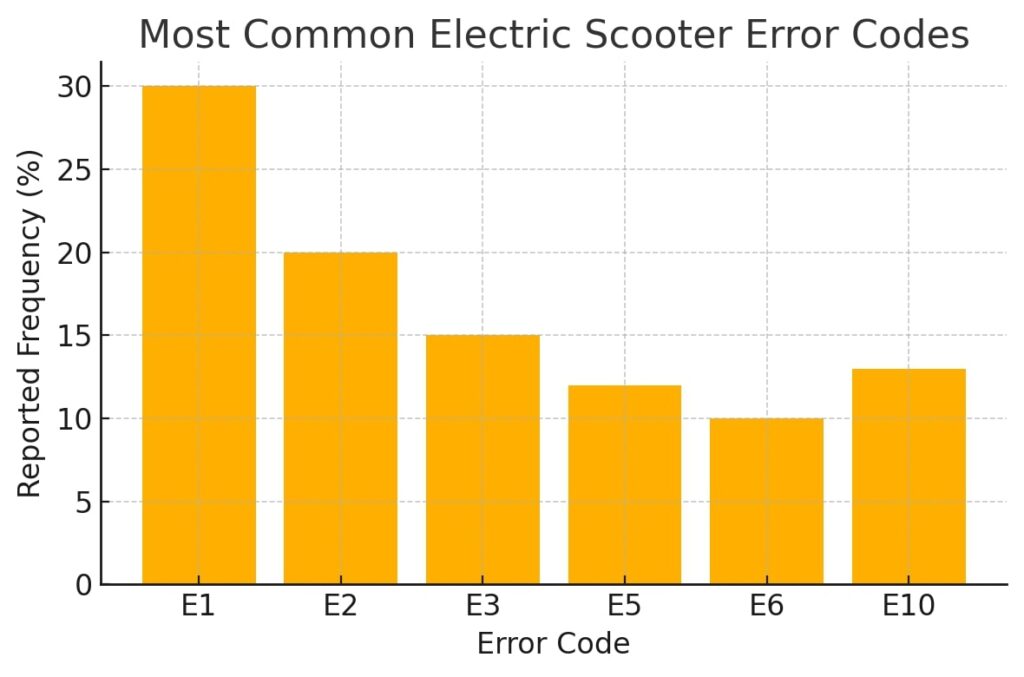
Below is a graph showing the most common error codes riders report:
Why Electric Scooters Show Error Codes
Electric scooters rely on electronics, sensors, control boards, and communication systems. Any disruption in these components triggers an error code. Think of it as your scooter’s way of protecting the system from further damage.
The most common causes include:
- Throttle sensor malfunction
- Brake lever sensor stuck or damaged
- Motor Hall sensor issues
- Controller overheating or wiring faults
- Battery communication errors
- Firmware or software glitch
- Loose connectors or corrosion
Error codes prevent the scooter from operating until the issue is fixed, ensuring rider safety.
1. Start With a Basic Power Cycle (Soft Reset)
The simplest fix for many electric scooter error codes is a basic restart. Just like a smartphone or laptop, scooters sometimes malfunction due to temporary glitches.
How to perform a soft reset:
- Turn the scooter off completely
- Wait 10–20 seconds
- Turn it back on
This clears temporary software issues and resets minor sensor problems. If the error code disappears after the restart, the system simply had a communication mismatch.
2. Disconnect and Reconnect the Battery (Hard Reset)
If a soft reset doesn’t work, a battery disconnect is the next step. This forces the scooter’s electrical system to reboot fully.
Steps for a hard reset:
- Turn the scooter completely off
- Remove the battery (if your model has a removable pack)
- Wait 30–60 seconds
- Reconnect the battery and power the scooter on
If your scooter has a built-in battery, opening the deck and unplugging the main connector for a few seconds produces the same effect.
A hard reset clears deeper internal errors, clears the controller memory, and often fixes throttle or brake sensor issues.
3. Reset the Scooter Through the Dashboard or App
Some modern scooters include built-in reset options through the display or mobile app.
Common reset functions include:
- Restore factory settings
- Clear error messages
- Reset throttle
- Reset brake calibration
- Controller reset
Factory reset is the most powerful of these options, returning all settings back to original condition (but it won’t fix physical problems like broken wires).
4. Check for Loose or Damaged Wiring
Wiring issues are one of the biggest reasons scooters display error codes. Over time, vibrations from riding cause wires under the deck or in the handlebar stem to loosen.
What to look for:
- Loose connectors
- Damaged or pinched wires
- Corrosion around plugs
- Water damage
- Melted or burnt smell
Common wiring locations to check:
- Battery to controller cable
- Motor cable
- Throttle connector
- Brake sensor wire
- Dashboard cable
Tightening or plugging wires properly often clears error codes instantly.
5. Reset Throttle-Related Error Codes
Throttle issues usually produce error codes like E1, E2, or E10 (depending on the scooter brand). A throttle error can occur if the scooter detects an abnormal signal or gets stuck in the pressed position at startup.
How to reset throttle errors:
- Ensure the throttle is not being pressed when turning on
- Disconnect and reconnect the throttle cable
- Clean around the throttle mechanism
- Restart the scooter
If the throttle is faulty, replacing it is usually inexpensive and quick.
6. Reset Brake Lever Error Codes
Electric scooters often have sensors on the brake levers. If the sensor is stuck or sending the wrong signal, the scooter may refuse to start.
Fix brake sensor errors by:
- Checking if the brake lever is stuck
- Releasing the brake fully before turning on
- Cleaning around the lever
- Reconnecting the brake sensor wire
- Lubricating the hinge if needed
A faulty brake sensor will continuously send a braking signal, causing the controller to lock out. Resetting the sensor or replacing it solves the issue.
7. Fix Motor Sensor Error Codes
Motor-related error codes often point to the Hall sensor inside the wheel hub. This sensor reads motor positions and communicates with the controller.
Possible fixes:
- Reconnect the motor phase wires
- Inspect the motor cable for cuts
- Avoid twisting the cable sharply
- Restart the scooter after checking cables
If the Hall sensor inside the motor has failed, professional repair may be needed.
8. Reset Controller Error Codes
The controller is the brain of the scooter. Overheating, voltage spikes, water, or wiring issues can trigger controller error codes.
To reset controller issues:
- Turn the scooter off and let it cool
- Disconnect the battery for 1 minute
- Check the controller wires
- Re-assemble and power on
If the controller has suffered severe damage (such as water entering the compartment), it may need replacement.
9. Reset Battery Communication Errors
Lithium-ion scooter batteries include a Battery Management System (BMS), which communicates with the controller. If communication fails, an error appears.
To fix battery communication errors:
- Charge the scooter for at least 30 minutes
- Check if the battery is properly connected
- Perform a hard reset by unplugging the battery
- Verify that the charging port is not damaged
If the BMS has locked the battery, resetting via a full charge or disconnecting/reconnecting the pack may unlock it.
10. When an Error Code Keeps Returning
If you reset the scooter but the error code returns repeatedly, this means the issue is not temporary. A component may be damaged, corroded, or worn out.
Persistent errors may indicate:
- Faulty throttle
- Weak or dead battery
- Damaged controller
- Water damage
- Faulty dashboard
- Shorted wiring
In such cases, replacing the faulty part is the best long-term solution.
Product Suggestions
1. Electric Scooter Throttle Replacement Kit
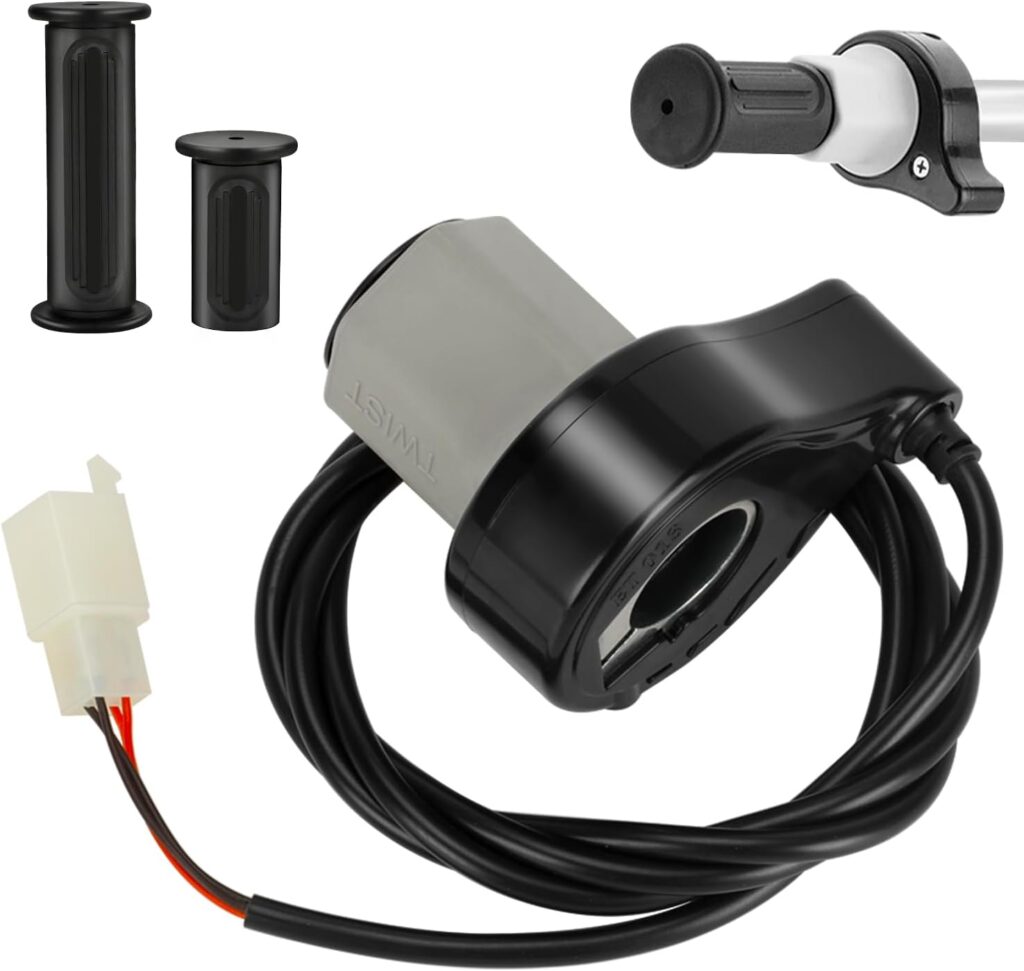
Perfect for fixing throttle-related error codes such as E1 or E2.
2. Universal Electric Scooter Wiring Repair Set
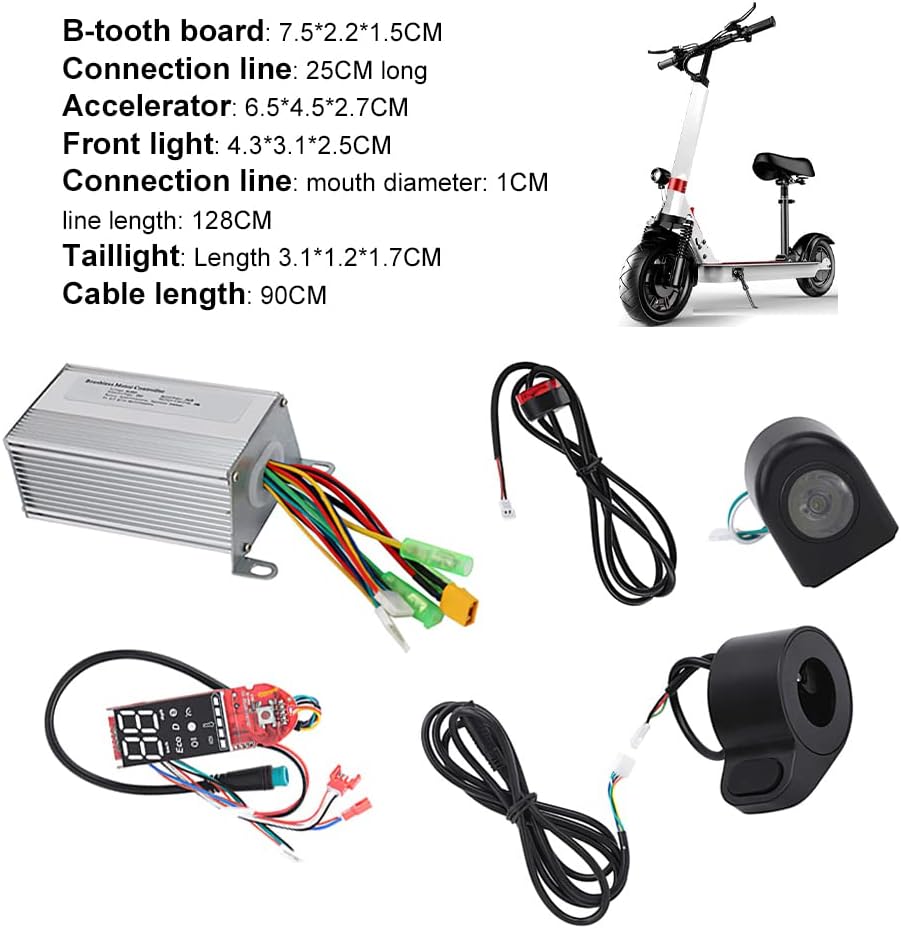
Useful for fixing connection issues, broken wires, and loose plugs that cause error codes.
Final Thoughts
Electric scooter error codes can be frustrating, but they are actually one of the most helpful diagnostic tools built into your scooter. Once you know what each error code means and how to reset it, fixing your scooter becomes much easier. Most issues can be solved at home—such as checking wiring, resetting the throttle, restarting the controller, or performing a battery disconnect. With proper care and early diagnosis, your scooter will stay reliable and safe to ride.